
If you’re planning to use the Eden emulator, the first thing you should check is the compatibility list. This is not optional; it’s the most important resource that tells you whether a game will actually run, how well it performs, and what issues you might face.
Many users install an emulator and jump straight into downloading games. Then they get stuck with crashes, black screens, or low FPS. The Eden emulator compatibility list solves that problem before it even starts.
This guide explains everything in a simple but professional way, how the compatibility system works, how to use it properly, what affects performance, and which games are currently playable. You’ll also find a detailed, tested games table and practical tips to improve results.
- 1 Why This Compatibility List Matters
- 2 What is the Eden Emulator Compatibility List?
- 3 Compatibility Ratings Explained
- 4 How to Use the Eden Compatibility List Effectively
- 5 Eden Emulator Compatibility List: Tested Games Table
- 6 Factors That Affect Game Compatibility
- 7 Best Settings for Eden Emulator (Optimization Guide)
- 8 Tips Before Testing Any Game
- 9 Common Issues and Fixes
- 10 How Eden Emulator is Improving Over Time
- 11 Frequently Asked Questions – Eden Compatibility List
- 12 Conclusion
Why This Compatibility List Matters
Emulation is not perfect. Even powerful systems cannot guarantee smooth gameplay for every title.
Here’s why the compatibility list is essential:
- Saves time – You don’t waste hours testing broken games
- Prevents frustration – You know what to expect before launching
- Improves performance – You can apply tested settings
- Tracks progress – You can see which games improve over time
Without this list, users often assume the issue is their PC, when in reality the game itself may not be fully supported.
What is the Eden Emulator Compatibility List?
The Eden emulator compatibility list is a structured database of tested games. Each entry shows how a specific title performs on the emulator based on real testing.
It is not just a list—it’s a performance report. Every game is evaluated under different conditions, including:
- Boot success
- In-game stability
- Graphics accuracy
- Frame rate performance
- Crash frequency
This allows users to make informed decisions instead of relying on guesswork.d to guess. The list gives you a quick answer before you even launch the game.
Latest Update:- Nintendo Switch Firmware 22.5.0 Download
Compatibility Ratings Explained
Understanding the rating system is key. Here’s a deeper breakdown:
Perfect
- Game runs exactly like original hardware
- No visual bugs or audio issues
- Stable FPS throughout
- No crashes or freezes
These are the best titles to play.
Playable
- The game can be completed from start to finish
- Minor issues may exist (FPS drops, small glitches)
- Does not significantly affect gameplay
Most users should focus on this category.
In-Game
- Game loads and runs
- Major issues present (lag, graphical bugs, instability)
- May not be fully playable
Useful for testing, but not ideal for full gameplay.
Intro
- The game starts, but doesn’t go beyond menus or early scenes
- Often stuck or crashes early
Nothing
Completely unsupported at the current stage
The game does not boot at all
How to Use the Eden Compatibility List Effectively
Using the compatibility list correctly can save you hours. Follow this method:
- Step 1: Search the Game: Enter the exact game title in the compatibility list.
- Step 2: Check the Status: Focus on “Playable” or “Perfect.”
- Step 3: Read Notes: Some entries include fixes, required settings, or known issues.
- Step 4: Apply Settings: Use recommended configurations before launching.
- Step 5: Test and Adjust: If performance isn’t ideal, tweak settings gradually.r.
Eden Emulator Compatibility List: Tested Games Table
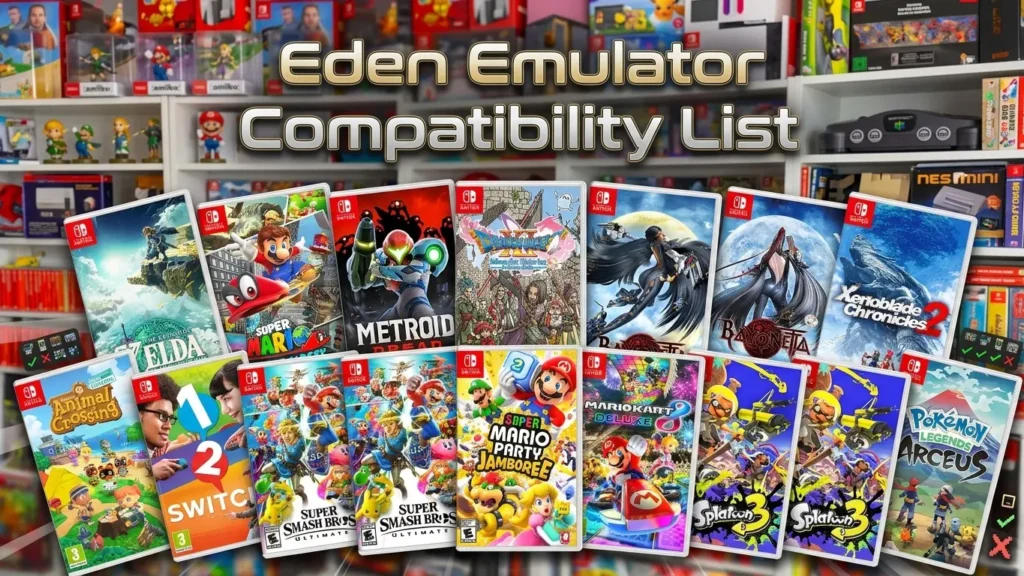
Below is a more detailed compatibility table based on commonly tested titles:
Action & Adventure Games
| Game Title | Status | Performance | Notes |
|---|---|---|---|
| God of War | Playable | Medium | Stable gameplay |
| God of War II | Playable | Medium | FPS drops in combat |
| Shadow of the Colossus | In-Game | Low | Needs optimization |
| ICO | Playable | Medium | Minor issues |
| Okami | Playable | Medium | Visual tweaks needed |
| Prince of Persia: The Sands of Time | Playable | Medium | Smooth |
| Prince of Persia: Warrior Within | Playable | Medium | Minor lag |
| Prince of Persia Two Thrones | Playable | Medium | Stable |
| Devil May Cry | Playable | Medium | Occasional drops |
| Devil May Cry 2 | Playable | Medium | Stable |
| Devil May Cry 3 | Perfect | High | Excellent |
| Onimusha Warlords | Playable | Medium | Minor bugs |
| Onimusha 2 | Playable | Medium | Stable |
| Onimusha 3 | Playable | Medium | Smooth |
| The Hobbit | Playable | Medium | Minor issues |
| Beyond Good & Evil | Playable | Medium | Stable |
| Tomb Raider Legend | Playable | Medium | Minor glitches |
| Tomb Raider Anniversary | Playable | Medium | Smooth |
| Tomb Raider Underworld | Playable | Medium | Stable |
Racing Games
| Game Title | Status | Performance | Notes |
|---|---|---|---|
| Gran Turismo 3 | Playable | High | Smooth |
| Gran Turismo 4 | Playable | High | Stable |
| Need for Speed Underground | Playable | Medium | Good performance |
| Need for Speed Underground 2 | Playable | Medium | Minor stutter |
| Need for Speed Most Wanted | Playable | Medium | Smooth |
| Need for Speed Carbon | Playable | Medium | FPS dips |
| Burnout 3 Takedown | Playable | High | Very smooth |
| Burnout Revenge | Playable | High | Stable |
| Midnight Club 3 | Playable | Medium | Minor lag |
| Midnight Club II | Playable | Medium | Stable |
| FlatOut 2 | Playable | High | Smooth |
| Ridge Racer V | Perfect | High | Excellent |
| Test Drive Unlimited | In-Game | Low | Performance issues |
| Crash Tag Team Racing | Playable | Medium | Stable |
Fighting Games
| Game Title | Status | Performance | Notes |
|---|---|---|---|
| Tekken 4 | Perfect | High | Smooth |
| Tekken 5 | Perfect | High | Excellent |
| Soulcalibur II | Perfect | High | Flawless |
| Mortal Kombat Deception | Playable | Medium | Minor bugs |
| Mortal Kombat Shaolin Monks | Playable | Medium | Stable |
| Dragon Ball Z Budokai 2 | Perfect | High | Smooth |
| Dragon Ball Z Budokai 3 | Perfect | High | Excellent |
| Dragon Ball Z Tenkaichi 2 | Playable | High | Minor lag |
| Dragon Ball Z Tenkaichi 3 | Playable | High | Stable |
| Naruto Ultimate Ninja 3 | Playable | High | Smooth |
| Naruto Ultimate Ninja 4 | Playable | High | Stable |
| Naruto Ultimate Ninja 5 | Playable | High | Excellent |
| WWE SmackDown Here Comes Pain | Perfect | High | Flawless |
| WWE SmackDown vs Raw 2007 | Playable | Medium | Minor bugs |
RPG Games
| Game Title | Status | Performance | Notes |
|---|---|---|---|
| Final Fantasy X | Playable | Medium | Minor slowdowns |
| Final Fantasy X-2 | Playable | Medium | Stable |
| Final Fantasy XII | Playable | Medium | Smooth |
| Kingdom Hearts | Playable | Medium | Minor lag |
| Kingdom Hearts II | Playable | Medium | Stable |
| Persona 3 FES | Playable | Medium | Minor FPS drops |
| Persona 4 | Playable | Medium | Stable |
| Dragon Quest VIII | Playable | Medium | Smooth |
| Dark Cloud | Playable | Medium | Minor bugs |
| Dark Cloud 2 | Playable | Medium | Stable |
| Rogue Galaxy | Playable | Medium | Minor issues |
| Star Ocean Till the End of Time | Playable | Medium | Stable |
| Suikoden III | Playable | Medium | Smooth |
| Suikoden V | Playable | Medium | Stable |
Shooter & FPS Games
| Game Title | Status | Performance | Notes |
|---|---|---|---|
| Black | Playable | Medium | FPS drops in action |
| Call of Duty 2: Big Red One | Playable | Medium | Stable |
| Medal of Honor Frontline | Playable | Medium | Minor bugs |
| Medal of Honor Rising Sun | Playable | Medium | Stable |
| TimeSplitters 2 | Playable | High | Smooth |
| TimeSplitters Future Perfect | Playable | High | Excellent |
| Killzone | In-Game | Low | Performance issues |
| Red Faction | Playable | Medium | Stable |
| Red Faction II | Playable | Medium | Minor lag |
Horror & Survival Games
| Game Title | Status | Performance | Notes |
|---|---|---|---|
| Resident Evil 4 | Perfect | High | Flawless |
| Resident Evil Code Veronica X | Playable | Medium | Minor bugs |
| Silent Hill 2 | In-Game | Low | Visual glitches |
| Silent Hill 3 | In-Game | Low | Performance issues |
| Silent Hill 4 | Playable | Medium | Stable |
| Fatal Frame | Playable | Medium | Minor issues |
| Fatal Frame II | Playable | Medium | Stable |
| The Suffering | Playable | Medium | Smooth |
Open World & Misc Games
| Game Title | Status | Performance | Notes |
|---|---|---|---|
| GTA III | Playable | Medium | Minor issues |
| GTA Vice City | Playable | Medium | Stable |
| GTA San Andreas | Playable | Medium | Occasional lag |
| Bully | Playable | Medium | Minor bugs |
| The Simpsons Hit & Run | Playable | Medium | Stable |
| Spider-Man 2 | Playable | Medium | Minor lag |
| Ultimate Spider-Man | Playable | Medium | Stable |
| Max Payne | Playable | High | Smooth |
| Max Payne 2 | Playable | High | Stable |
| Hitman 2: Silent Assassin | Playable | Medium | Minor issues |
| Hitman Blood Money | Playable | Medium | Stable |
| Just Cause | In-Game | Low | Needs optimization |
| Destroy All Humans | Playable | Medium | Smooth |
| Destroy All Humans 2 | Playable | Medium | Stable |
Strategy, Sports & Others
| Game Title | Status | Performance | Notes |
|---|---|---|---|
| FIFA 14 | Playable | Medium | Stable |
| PES 2013 | Playable | Medium | Smooth |
| NBA 2K11 | Playable | Medium | Stable |
| Tony Hawk Underground | Playable | Medium | Minor lag |
| Tony Hawk Pro Skater 4 | Playable | Medium | Stable |
| The Sims 2 | Playable | Medium | Smooth |
| SimCity 4 | Playable | Medium | Stable |
| Age of Empires II (PS2) | Playable | Medium | Minor issues |
| LEGO Star Wars | Playable | Medium | Smooth |
| LEGO Batman | Playable | Medium | Stable |
This compatibility data is continuously updated based on Eden emulator development progress and community testing.
Factors That Affect Game Compatibility
Even if a game is marked as “Playable,” your experience may vary. Here are the key factors:
1. Hardware Performance
- CPU plays the biggest role in emulation
- GPU affects rendering and scaling
- RAM ensures smooth loading
Related readings:- All GPU Drivers for Eden, Yuzu, Suyu, Skyline, Sudachi
2. Emulator Version
- New builds fix bugs and improve compatibility
- Older versions may lack optimizations
3. Graphics Backend
- Vulkan → Better performance (usually)
- OpenGL → Better accuracy in some cases
4. Game-Specific Issues
Some games have unique problems that require custom fixes.
5. Settings Configuration
Incorrect settings can reduce performance even on high-end systems.
Best Settings for Eden Emulator (Optimization Guide)
If you want better compatibility and performance, use these proven settings:
Graphics Settings
- Resolution: Start with native resolution
- Backend: Vulkan (recommended)
- Disable unnecessary enhancements
Performance Tweaks
- Enable speed hacks (if stable)
- Adjust frame limiter
- Reduce texture scaling if lag occurs
Stability Tips
- Save profiles for different games
- Avoid extreme settings
- Stick to tested configurations
Tips Before Testing Any Game
- Always use the latest emulator build
- Avoid random settings changes
- Test one setting at a time
- Check community feedback for fixes
- Save your working configuration
This keeps your setup stable.
Also Read:- Eden Prod Keys and Firmware v22.5.0 Download
Common Issues and Fixes
Game not booting: Check if it’s listed as “Nothing” or “Intro.” Some games are not supported yet.
Low FPS: Lower graphics settings or try a different backend.
Graphical glitches: Switch rendering mode or disable enhancements.
Crashes: Update emulator version and drivers.
How Eden Emulator is Improving Over Time
Eden emulator is actively being developed. This means:
- More games become playable with each update
- Performance improves gradually
- Bugs are fixed continuously
If a game doesn’t work today, it may work in future builds. That’s why revisiting the compatibility list is important.
Frequently Asked Questions – Eden Compatibility List
Which games run best on Eden Emulator right now?
Games marked as Perfect and Playable offer the best experience with stable performance.
How do I check if a game is compatible with Eden Emulator?
Search the game title on the official compatibility list and review its rating and notes.
Why is my game lagging even if it’s marked playable?
Performance depends on your hardware, emulator settings, and graphics backend.
Can Eden Emulator run all PS2 games?
No. Compatibility is still evolving, and some games are not supported yet.
How often does Eden Emulator improve compatibility?
Regular updates add fixes and improvements, making more games playable over time.
Conclusion
The Eden emulator compatibility list is your most valuable tool when using the emulator. It gives you clarity, saves time, and helps you avoid unnecessary frustration.
Instead of guessing, you rely on tested data. Instead of wasting time, you start with games that actually work.
As development continues, the list keeps growing—and so do your options. Stay updated, use the right settings, and you’ll get the best possible experience from the Eden emulator.